← Case studies · Figma project
Job boardportal Workplay
A job board app for a specialised group of users from the tech industry
- Date
- 2023–2024
- Client
- Workplay
- Project type
- Product / UI design / UX collaboration
- Role
- UX/UI Designer
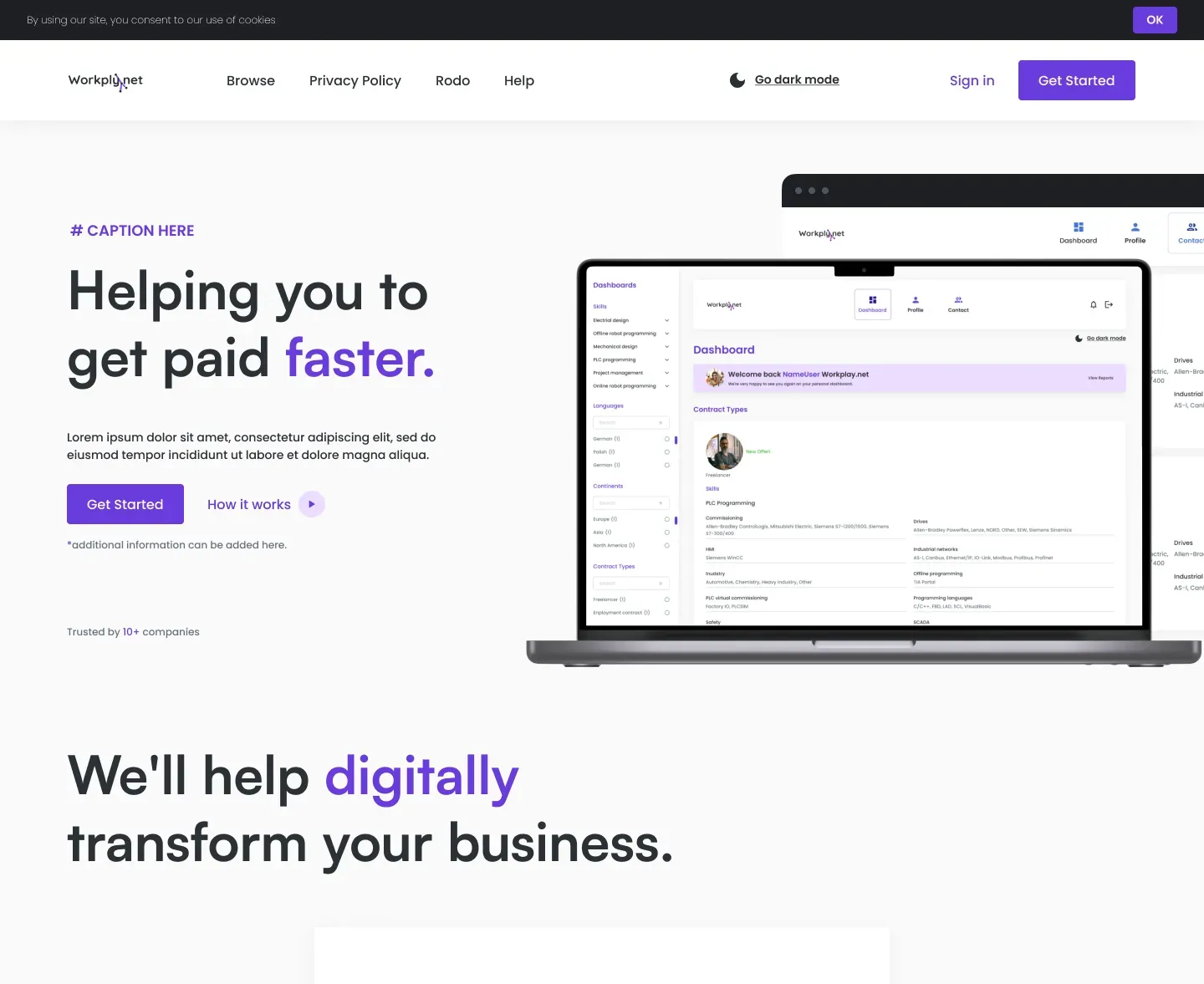
A job board for developers
Designing the Workplay job board — built for IT specialists and developers. The portal lets users browse offers filtered by technology, work model and salary, while candidates can build a profile and apply in one click.
01
Goals
Create a clear job board with advanced filtering of IT offers.
02
My role / responsibilities
UX research, information architecture, UI design in Figma, interactive prototype.
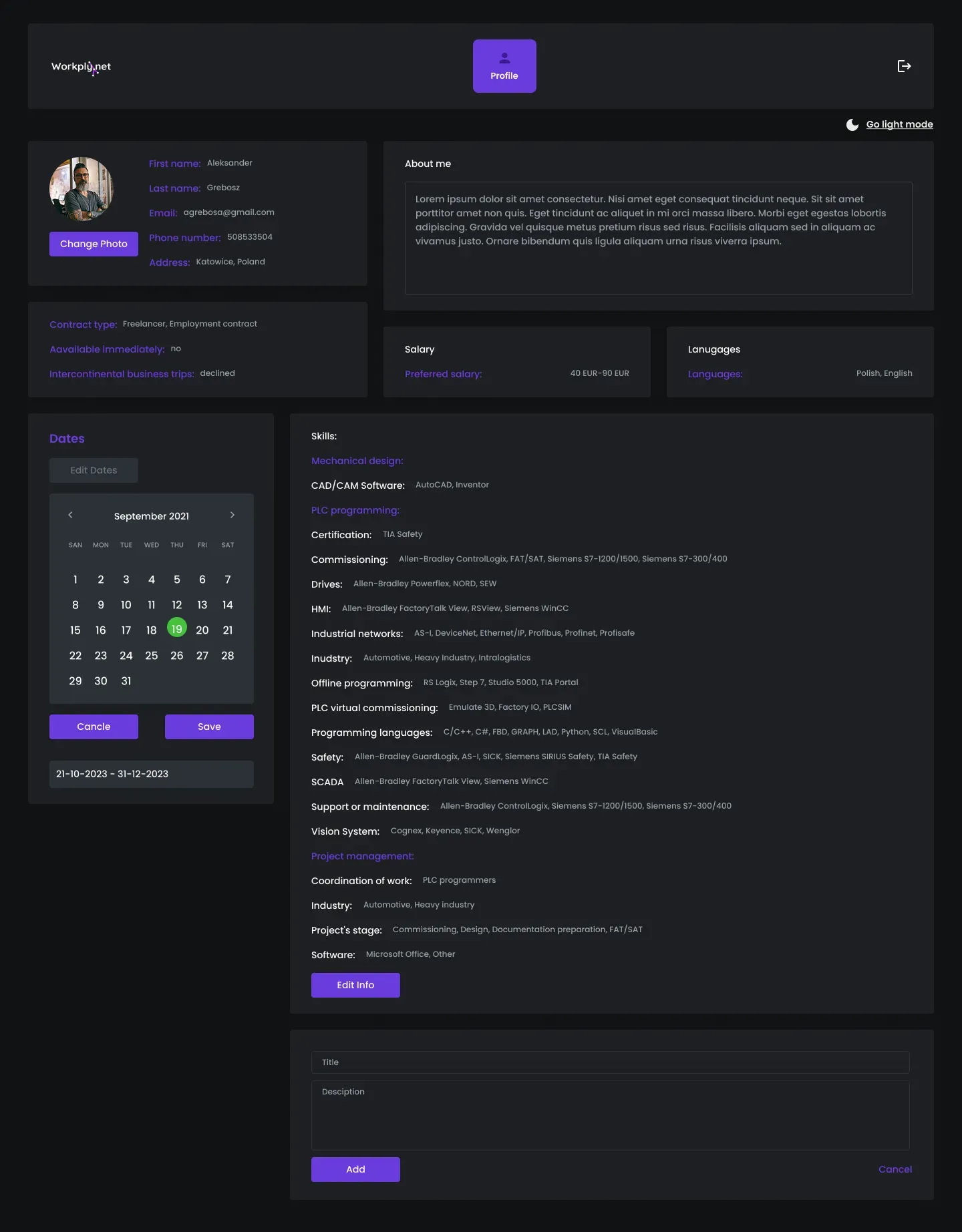
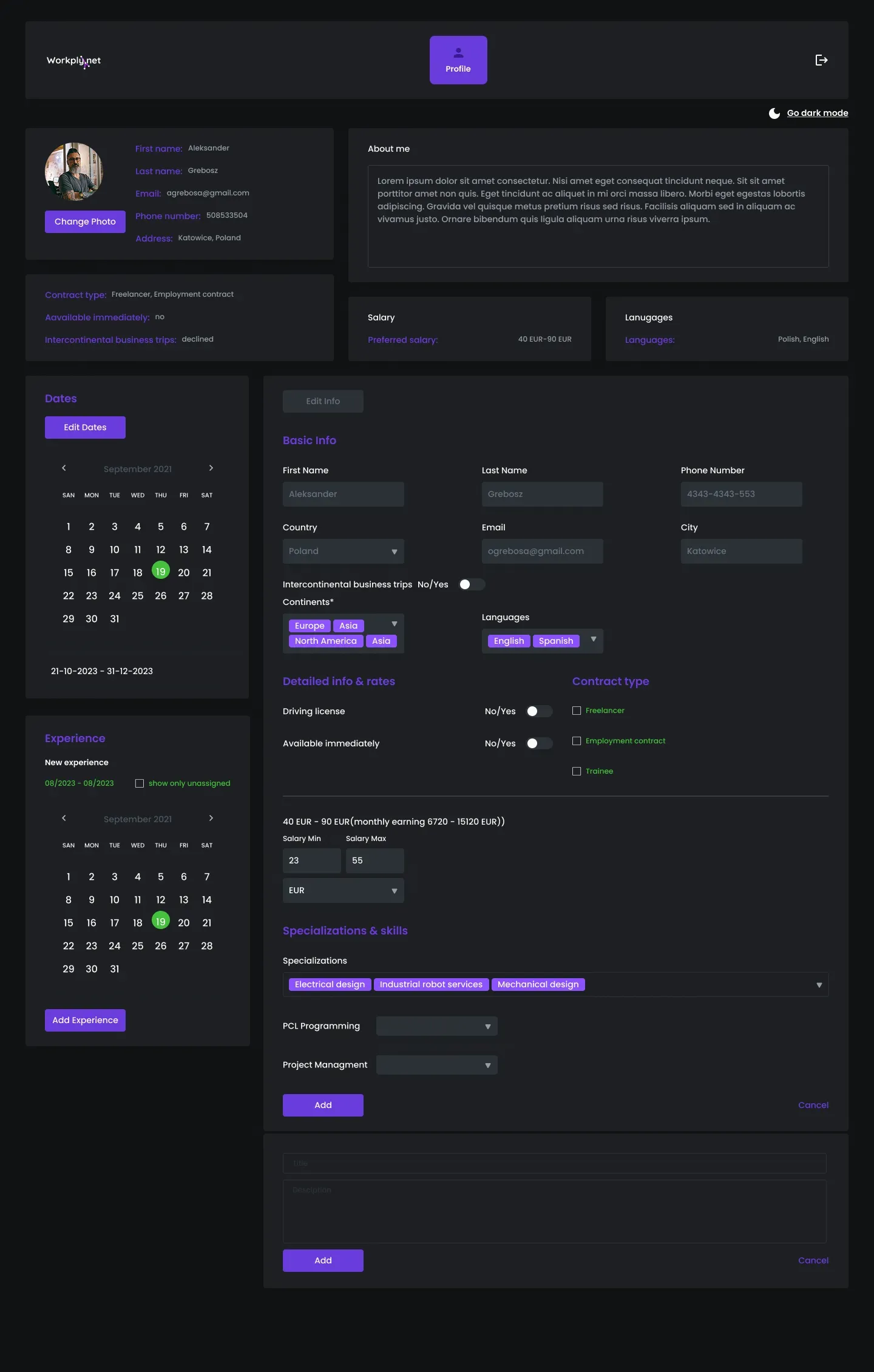
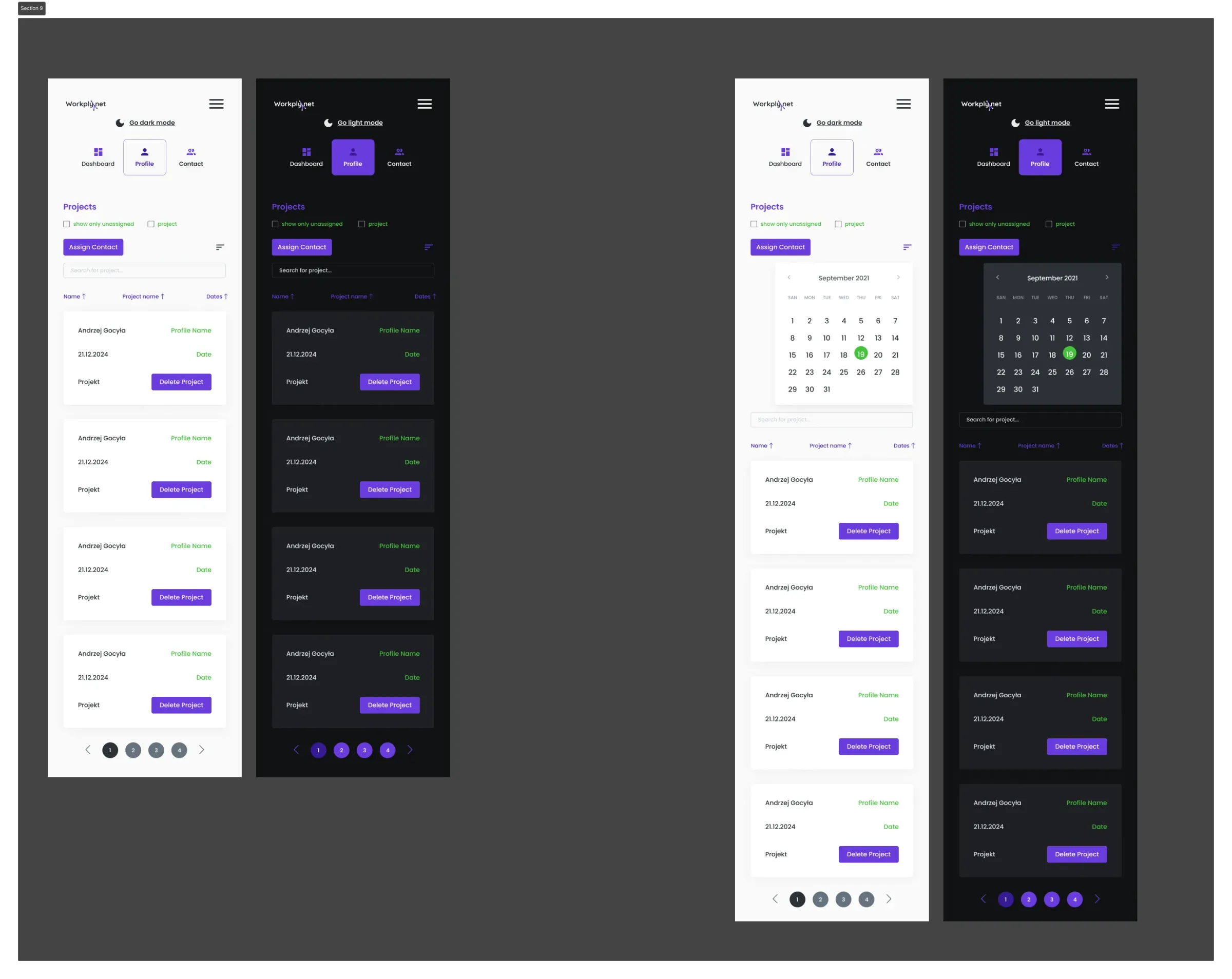
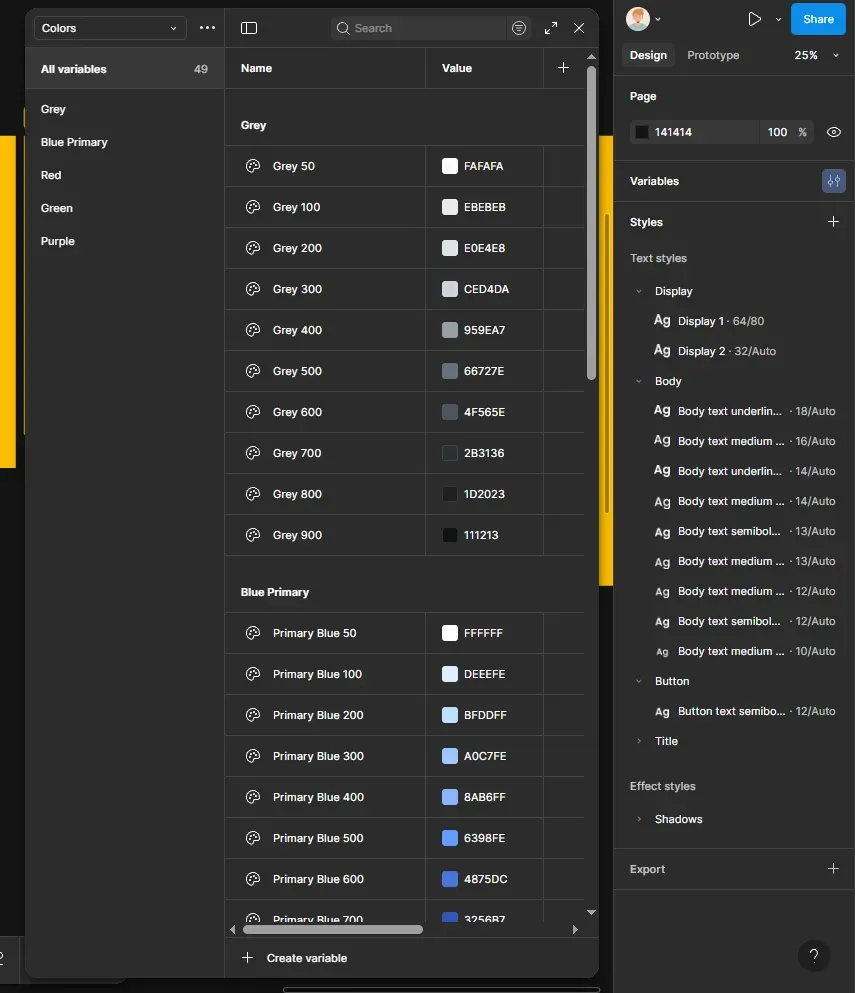
Screens, flows and design system
The main challenge: a filter system that doesn’t overwhelm users yet gives them full control over results. Information architecture was key — the hierarchy of listings, profiles and applications had to be intuitive for both sides: candidate and recruiter.
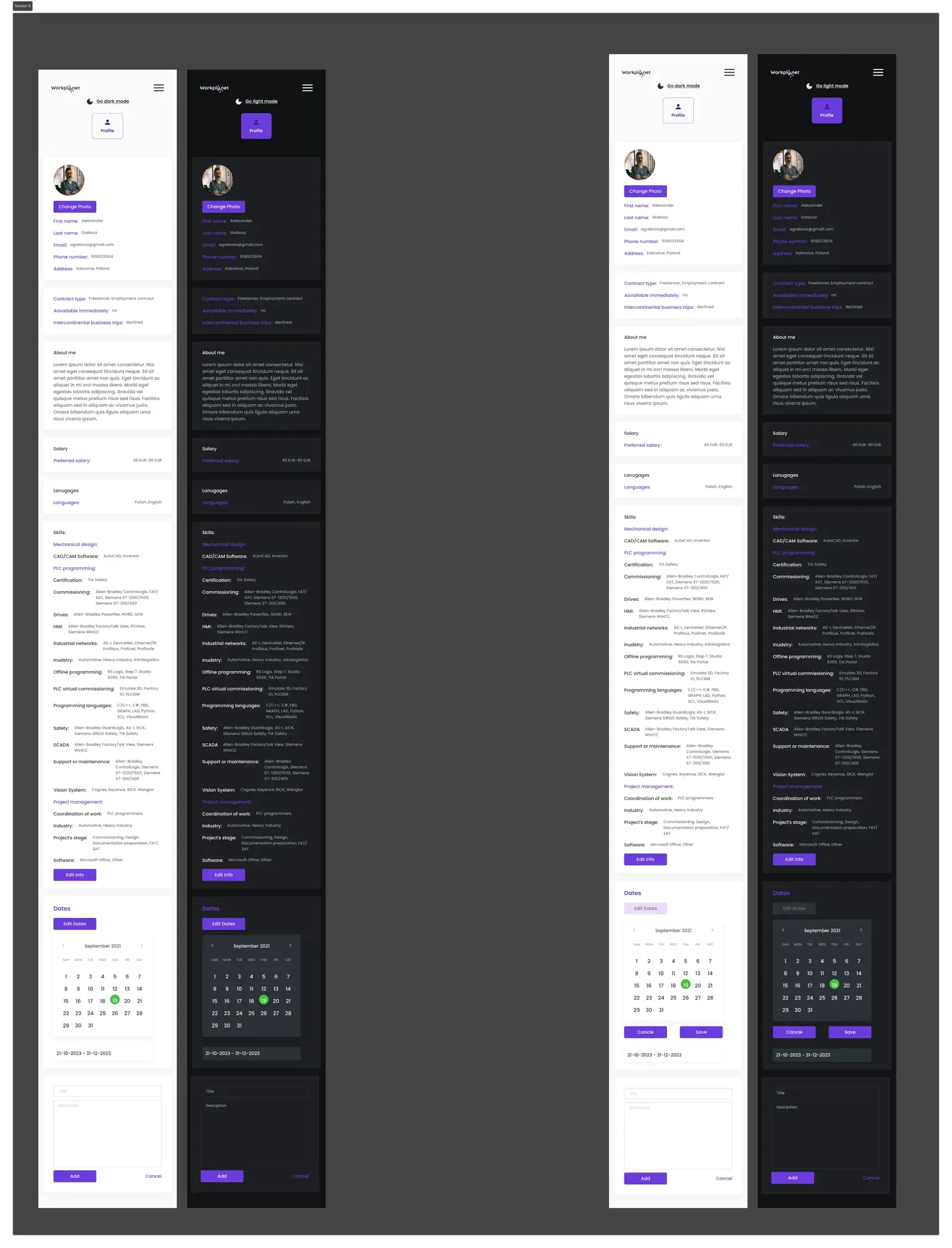
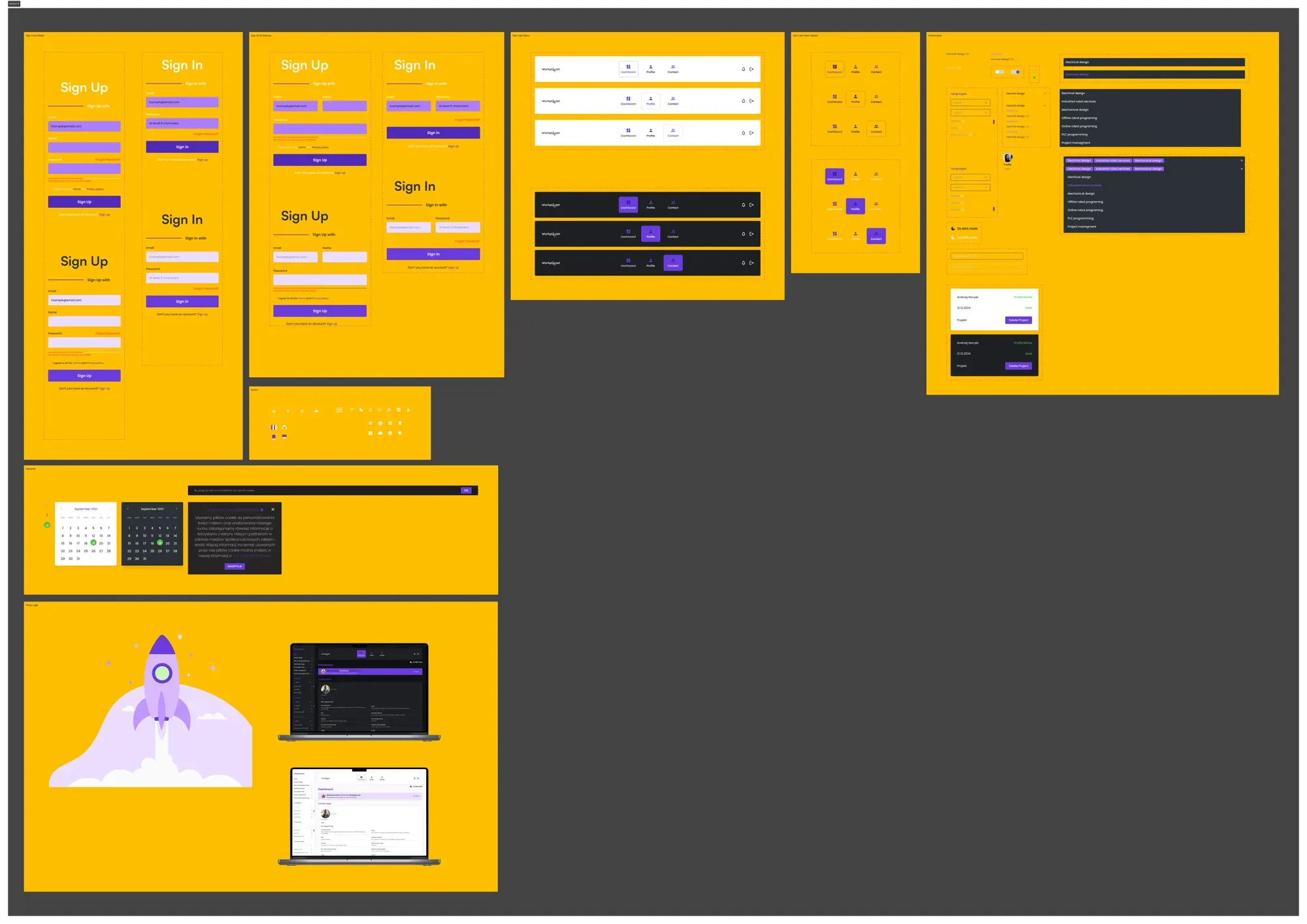
Projectcompleted
The portal was designed from the first wireframe to a full hi-fi prototype. Finished Figma files with a design system and documentation were handed over to the client. Project completed.
Questions about process and collaboration
What working with a UI/UX designer looks like — from first contact to project handover.
What does your UI/UX design process look like?+
I split the process into 4 stages:
- 1. Discovery — analysing user needs, competitors and business goals
- 2. Wireframing — sketches and lo-fi prototypes in Figma, defining the information architecture
- 3. UI Design — full visual design with a design system, components and tokens
- 4. Prototyping & Handoff — interactive prototype + developer documentation
What is a design system and why does it matter?+
A design system is a set of reusable components (buttons, forms, cards, modals) with defined rules for using them. Thanks to it:
- ✓ The product looks consistent on every screen
- ✓ Developers implement new features faster
- ✓ Future changes are easier and cheaper
- ✓ The brand is recognisable at every touchpoint
How long does a UI/UX project in Figma take?+
It depends on complexity:
- Landing page / simple app
- 1–2 weeks
- Mid-size app (10–20 screens)
- 3–5 weeks
- Complex product (30+ screens + design system)
- 6–12 weeks
Before we start you get a schedule with specific stages and deadlines.
Can I edit the design myself after launch?+
Yes — the Figma files are yours. You get full edit access to the project. I include component documentation and a short video explaining the file structure so you can make changes yourself. I also offer consulting hours if you need help.
What tools do you use?+
- Design:
- Figma (UI, prototypes, design system, FigJam for UX)
- Implementation:
- Webflow, HTML/CSS, JavaScript
- Automations:
- Make.com, API REST
- Project management:
- Notion, Linear, Slack
- Testing and analytics:
- Hotjar, Google Analytics, Lighthouse
How can I order a similar project?+
The fastest way is a free consultation — we book a 30-minute online call, go through the scope and needs, and I send a quote within 24–48h. You can also fill in the contact form — describe the project and expectations, and I’ll reply as soon as possible.
Designed in Figma, brought to life in Webflow and Shopify
I build modern websites that combine thoughtful design with smooth performance. I specialise in end-to-end projects – from the first sketch in Figma to a fully working site in Webflow and Shopify.