← Case studies · Figma project
Drivinglicence app
Designing and building an app that helps people prepare for and pass their driving licence exams
- Date
- 2024–2025
- Client
- Zillow, Poland
- Project type
- Product / UI design / UX collaboration
- Role
- UX/UI Designer
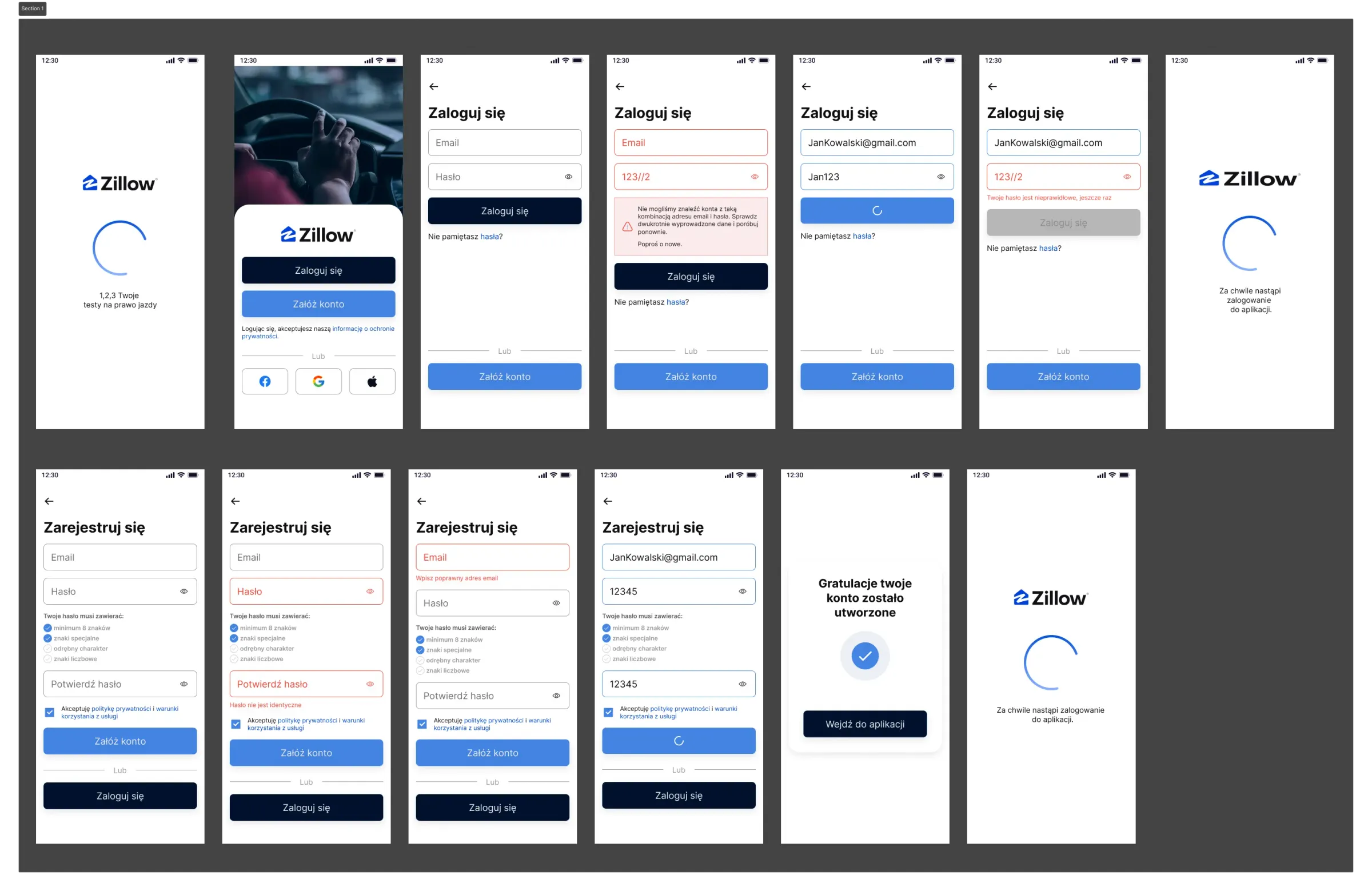
Designing a multi-feature app
A complete learning platform combining theory lessons, exam simulations, progress tracking and communication with instructors. The app offers interactive tests, video materials, topic quizzes and a gamification system that motivates steady learning before the driving exam.
01
Goals
Build the app from scratch.
02
My role / responsibilities
Designing the UI in Figma from UX wireframes and mockups.
Screens, flows and design system
An innovative app with advanced adaptive learning that adjusts question difficulty to each user’s needs. Unique features such as the exam simulator and AI-powered coaching set it apart from standard test apps.
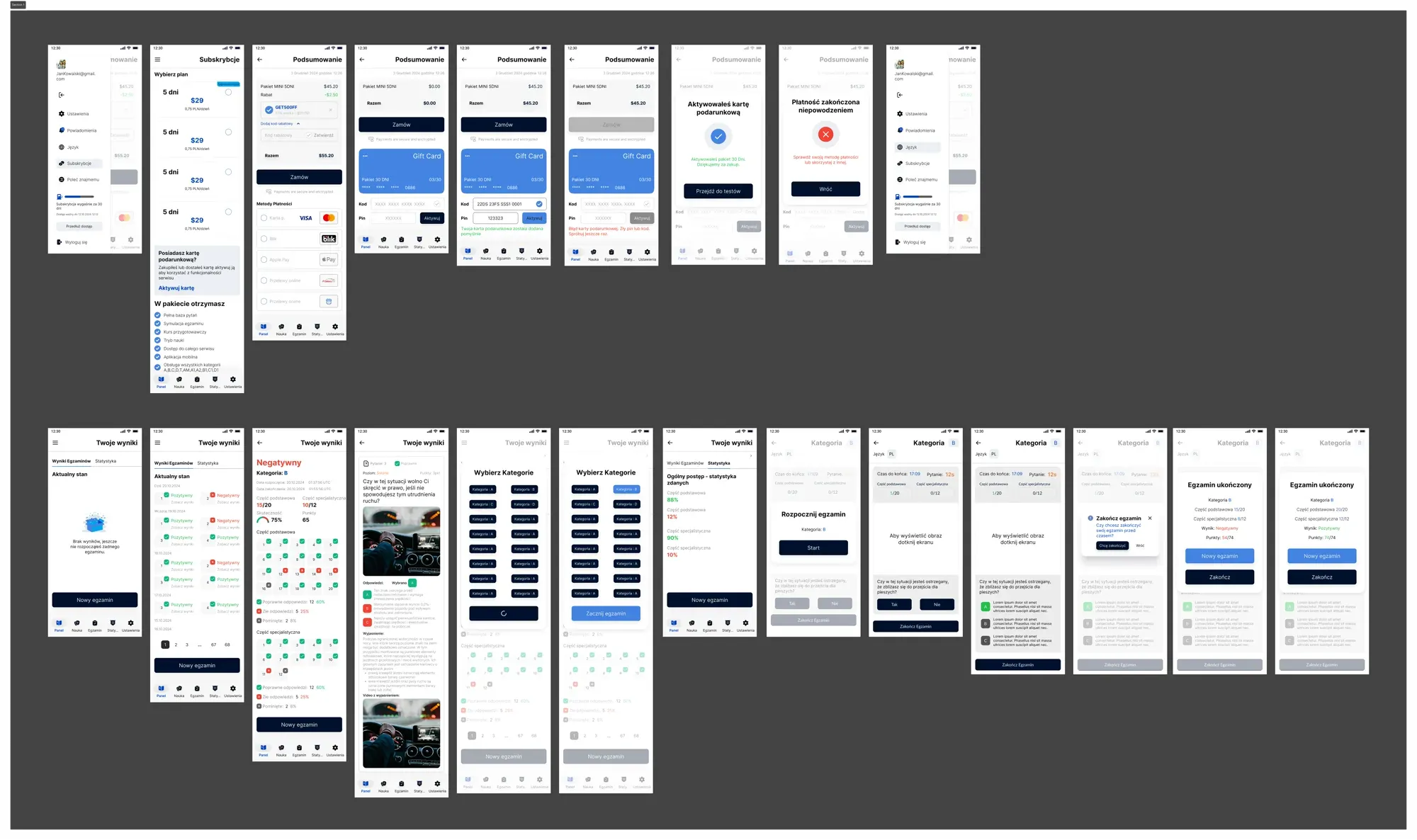
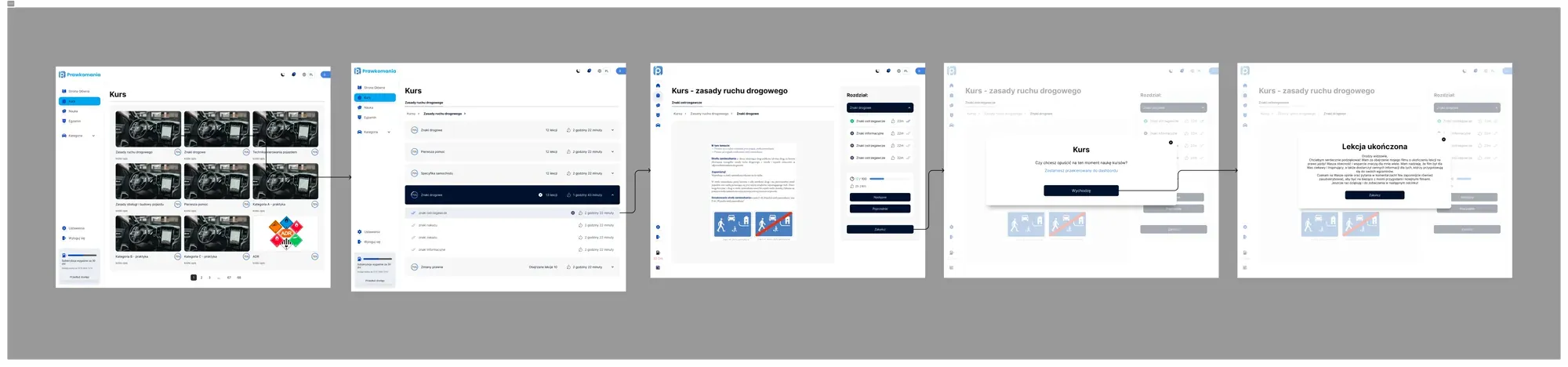
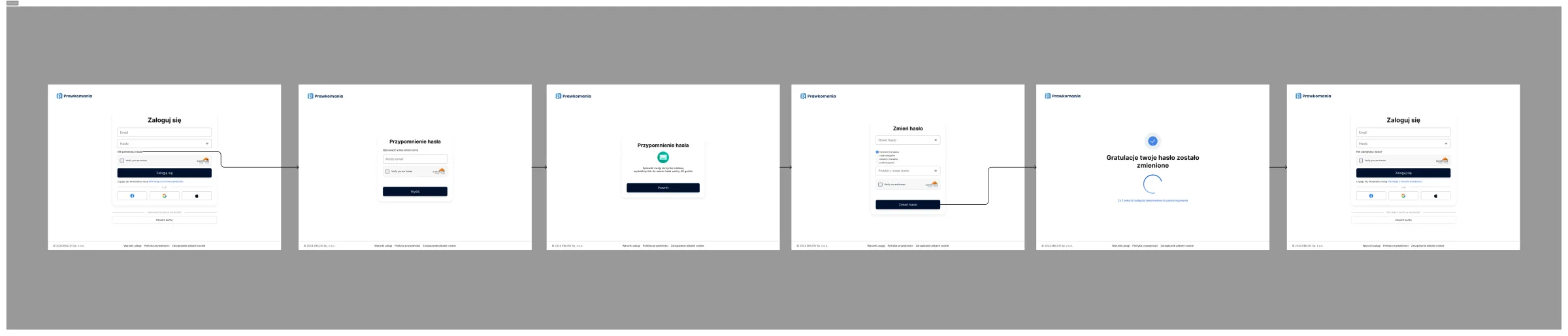
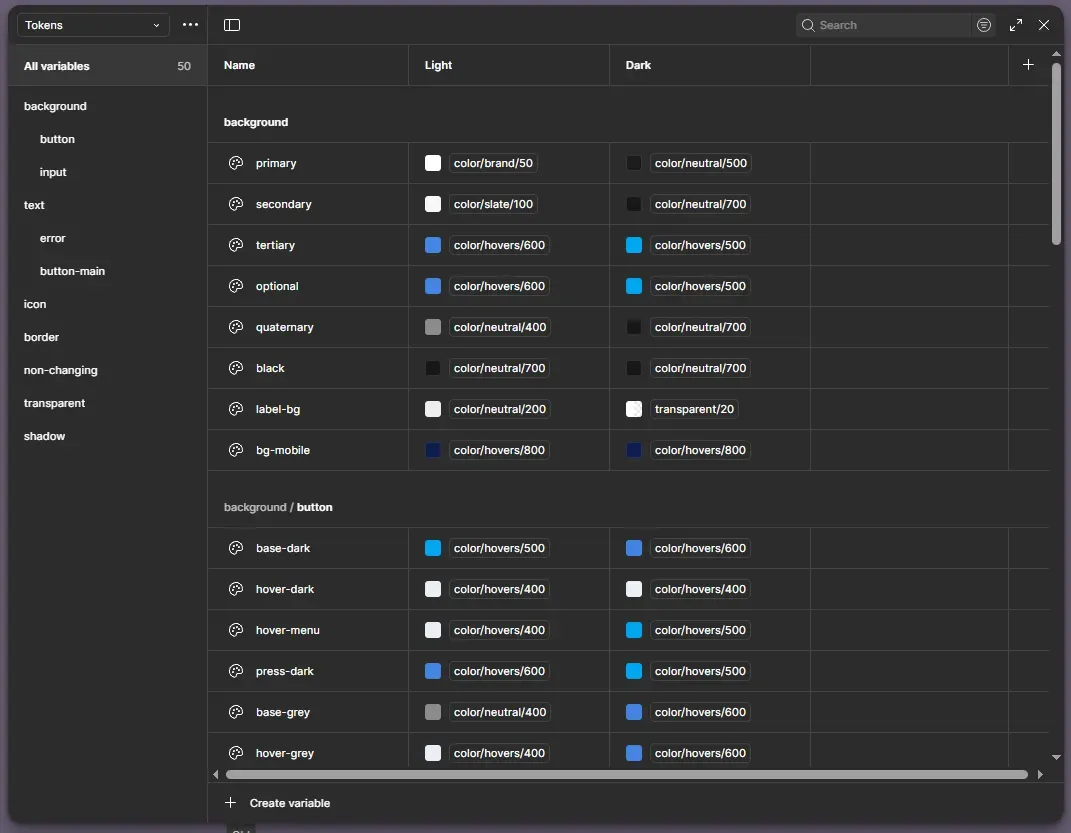
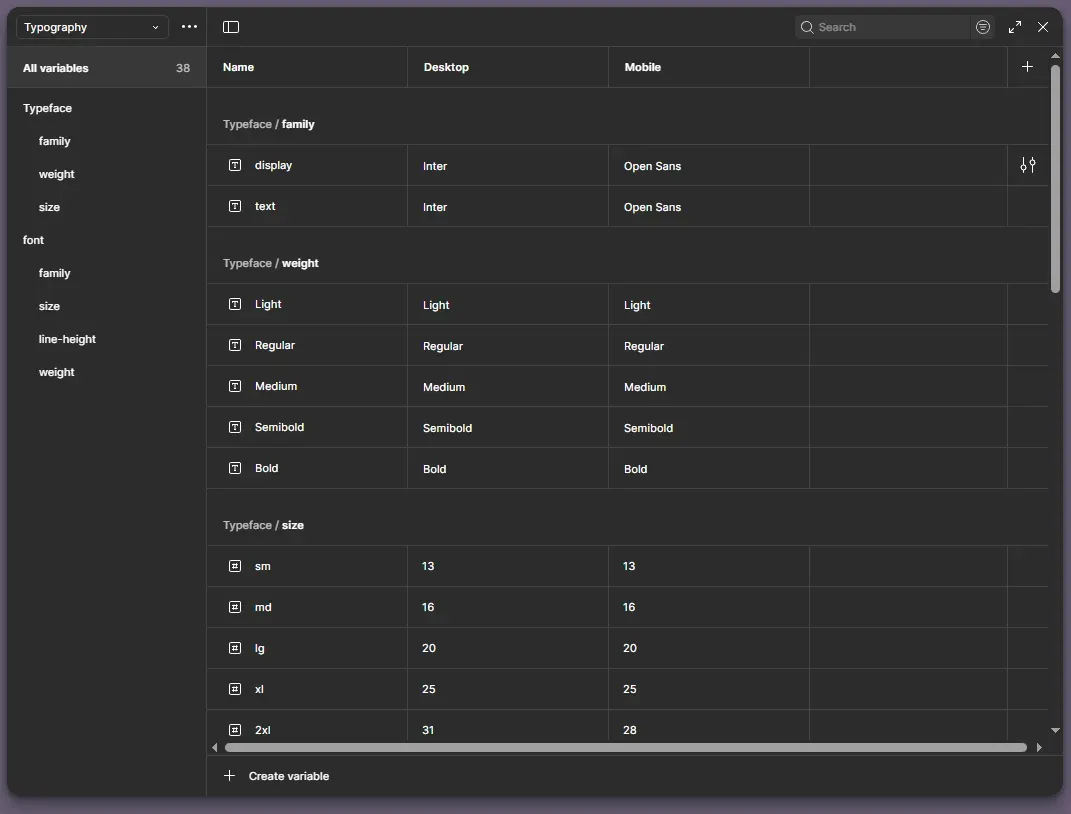
Projectcompleted
The app went through the full design cycle: from user research and wireframes, through a complete UI design system, to an interactive prototype with developer documentation. Project completed and accepted by the client.
Questions about process and collaboration
What working with a UI/UX designer looks like — from first contact to project handover.
What does your UI/UX design process look like?+
I split the process into 4 stages:
- 1. Discovery — analysing user needs, competitors and business goals
- 2. Wireframing — sketches and lo-fi prototypes in Figma, defining the information architecture
- 3. UI Design — full visual design with a design system, components and tokens
- 4. Prototyping & Handoff — interactive prototype + developer documentation
What is a design system and why does it matter?+
A design system is a set of reusable components (buttons, forms, cards, modals) with defined rules for using them. Thanks to it:
- ✓ The product looks consistent on every screen
- ✓ Developers implement new features faster
- ✓ Future changes are easier and cheaper
- ✓ The brand is recognisable at every touchpoint
How long does a UI/UX project in Figma take?+
It depends on complexity:
- Landing page / simple app
- 1–2 weeks
- Mid-size app (10–20 screens)
- 3–5 weeks
- Complex product (30+ screens + design system)
- 6–12 weeks
Before we start you get a schedule with specific stages and deadlines.
Can I edit the design myself after launch?+
Yes — the Figma files are yours. You get full edit access to the project. I include component documentation and a short video explaining the file structure so you can make changes yourself. I also offer consulting hours if you need help.
What tools do you use?+
- Design:
- Figma (UI, prototypes, design system, FigJam for UX)
- Implementation:
- Webflow, HTML/CSS, JavaScript
- Automations:
- Make.com, API REST
- Project management:
- Notion, Linear, Slack
- Testing and analytics:
- Hotjar, Google Analytics, Lighthouse
How can I order a similar project?+
The fastest way is a free consultation — we book a 30-minute online call, go through the scope and needs, and I send a quote within 24–48h. You can also fill in the contact form — describe the project and expectations, and I’ll reply as soon as possible.
Designed in Figma, brought to life in Webflow and Shopify
I build modern websites that combine thoughtful design with smooth performance. I specialise in end-to-end projects – from the first sketch in Figma to a fully working site in Webflow and Shopify.